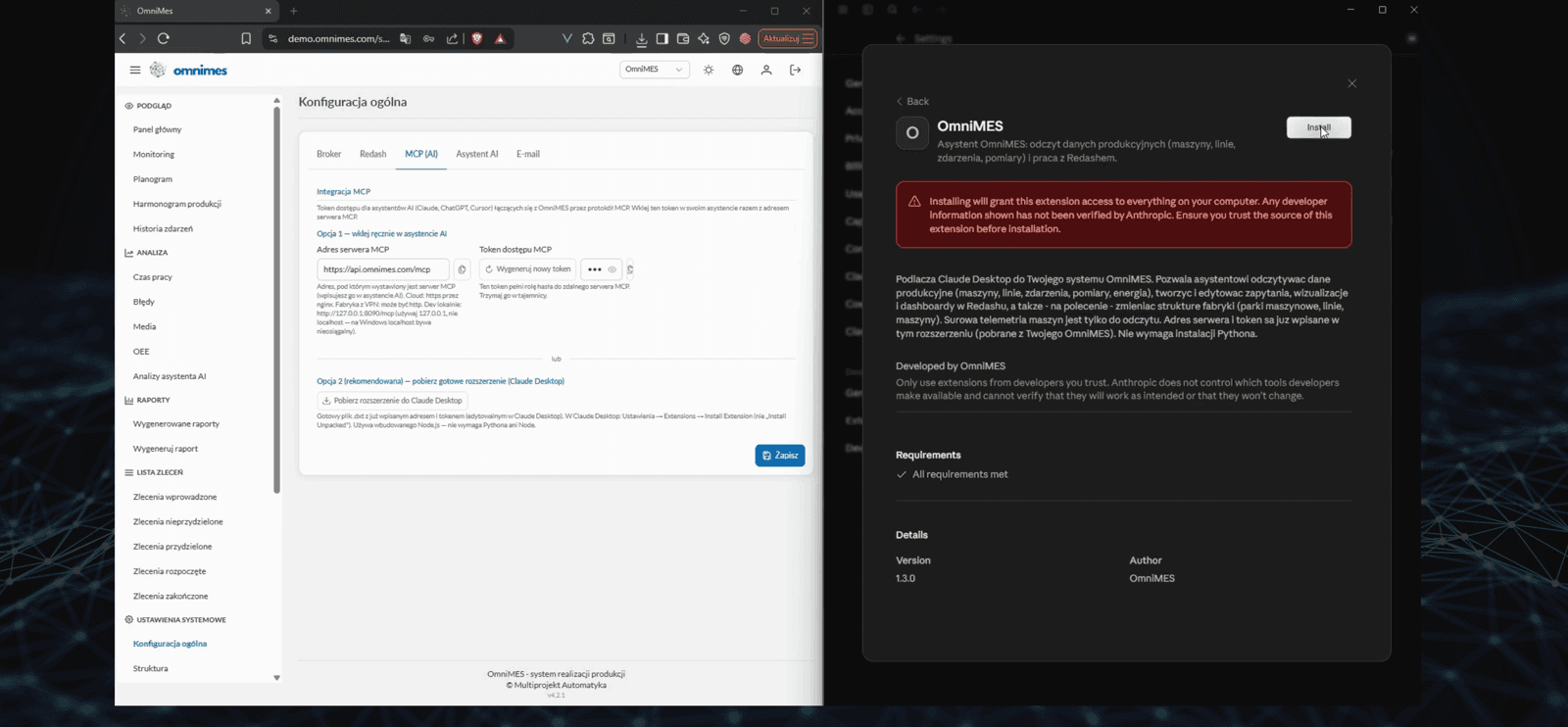
As of version 4.3.0, OmniMES ships with built-in support for MCP (Model Context Protocol) — an open standard that lets any AI assistant connect directly to your production system. You plug in Claude Desktop, ChatGPT, Cursor or Copilot, paste a token, and use natural language to build dashboards, configure machines and statuses, and read the live production state — with no UI clicking and no SQL to write.
Disclaimer: The name „WOODCRAFT" and the plant shown in the video are fictional — used solely to demonstrate the MCP protocol in OmniMES. No deployment took place at any company by this name. Any resemblance to existing entities is coincidental.
What you get
- Connected in a minute — a ready-made Claude Desktop extension with the server address and token already filled in, or a manual paste into any MCP-capable assistant. No Python or Node install required.
- Control by conversation — "build a dashboard with machine availability and energy cost per unit for the selected machine park" and moments later you have a finished Redash dashboard made of a dozen charts.
- Configuration without the UI — plant structure (parks, lines, machines), machine statuses, alarms, schedules, and OmniEnergy measurement sources and points.
- Your data, your rules — choose the model deliberately: commercial (Claude, GPT, Gemini) for quality, free via OpenRouter (Llama, Qwen, DeepSeek) for cost, or local (Ollama, LM Studio) when data must stay inside the factory network. Raw machine telemetry stays read-only.
See the full step-by-step scenario — from an empty system to a finished dashboard — in the article: MCP in OmniMES in practice. The complete list of changes is in the changelog.