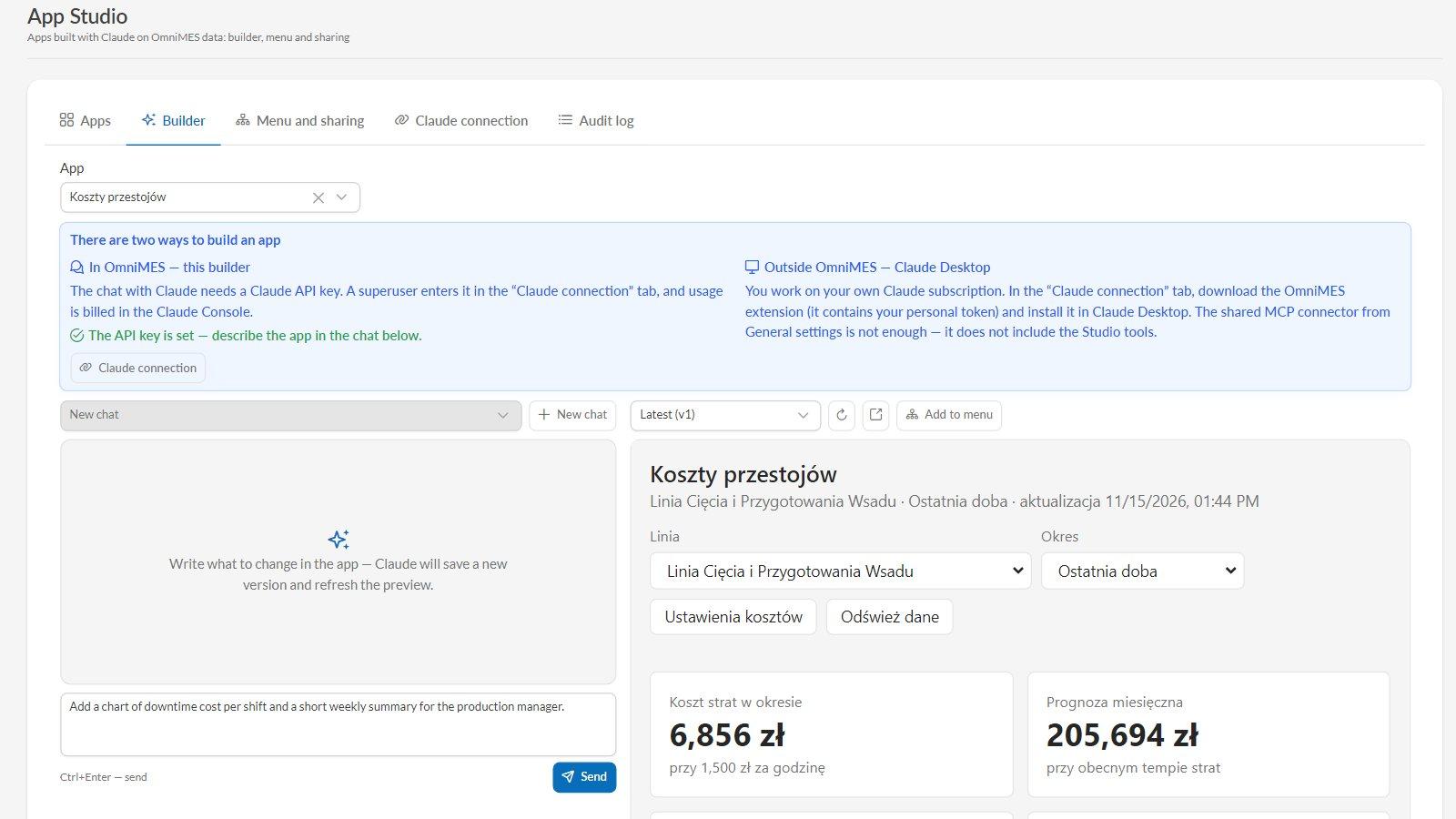
Every plant has questions that no ready-made screen answers directly: how much did yesterday's downtime on the cutting line cost, which orders will miss their deadline, what does the next shift need to know. Usually that ends in a spreadsheet or a request for yet another report. As of version 4.9.0, OmniMES has App Studio: you describe what you need in a chat with Claude, and Claude builds an interactive app on live data from your production — with KPIs, charts, tables, notes and forms. The finished app goes into the OmniMES menu, right next to the other screens. App Studio is built on the open MCP Apps standard and is marked [Beta] in the menu.
How it works
- Describe. In the Builder tab, write in plain language, e.g. “show how much money each line loses to downtime and point out the three causes that cost the most”.
- Claude builds. It works with OmniMES data — machines, signals, events, measurements, BI data and production orders — and assembles the app. After every save, the preview next to the chat refreshes on live data, so you ask for changes in the same conversation: “add a period selector”, “show the causes as a Pareto chart”.
- Add it to the menu. Place the app in the side menu, in sections and submenus you create yourself, e.g. “Plant apps”.
- Share it. With chosen user groups (e.g. managers and directors) or with individual people.
Every change is saved as a new version of the app. If a change didn't work out, you restore the previous version.
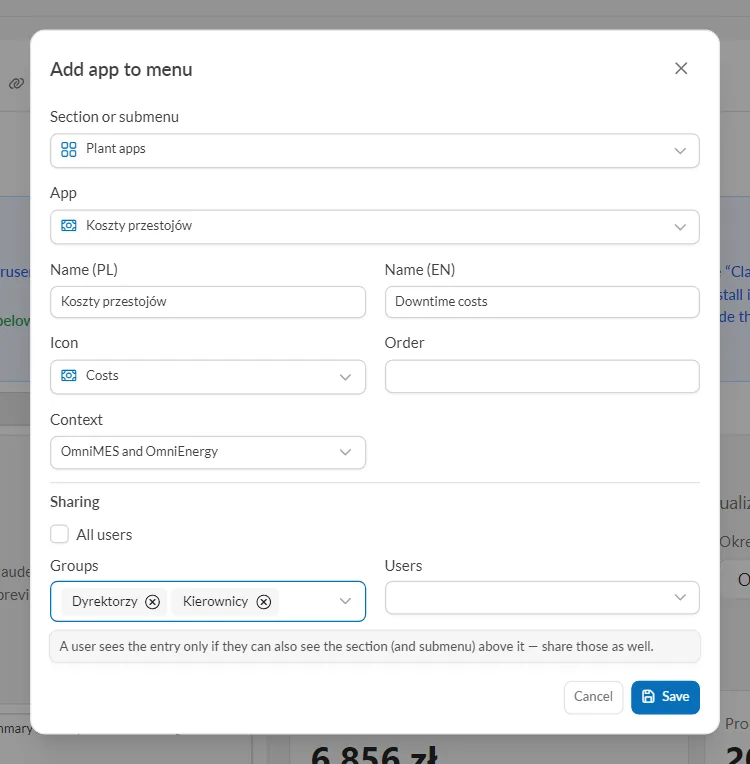
Add the app to a menu section of your choice and share it with groups or individual people.
Two ways to build apps
- In OmniMES, in the Builder. The chat with Claude runs right inside the system. It needs a Claude API key from the Claude Console — a superuser enters it in the Claude connection tab, and usage is billed in the Claude Console. Claude Max, Ultra and Team plans include monthly API credits.
- In Claude Desktop, on your own Claude subscription. In the Claude connection tab, download the OmniMES extension with your personal token and install it in Claude Desktop. The shared MCP connector from General configuration is not enough here — it does not include the Studio tools.
Thanks to the MCP Apps standard, the same apps also open in a Claude Desktop conversation.
We recommend Claude Opus 5.5. You can also choose Fable 5.2, Sonnet 5.5, Haiku 5.5 and other compatible models that OmniMES fetches from the Anthropic API.
Security: an app can do only what the person opening it can
- An app runs with the viewer's own permissions — and never with more than its author has. A shift supervisor sees in it only what they already see in OmniMES.
- An app has no access to the user's token, cookies or the internet.
- Every data write from an app must be confirmed by the viewer in a dialog that shows exactly what will be written and who wrote the app. In Claude Desktop, writes from apps are disabled.
- Administrative apps can be enabled only by a superuser.
- The Audit log records app changes, menu and sharing changes, personal tokens, data writes and access denials.
Apps live in the OmniMES database — no extra containers — so they are included in your regular backups along with the rest of the system.
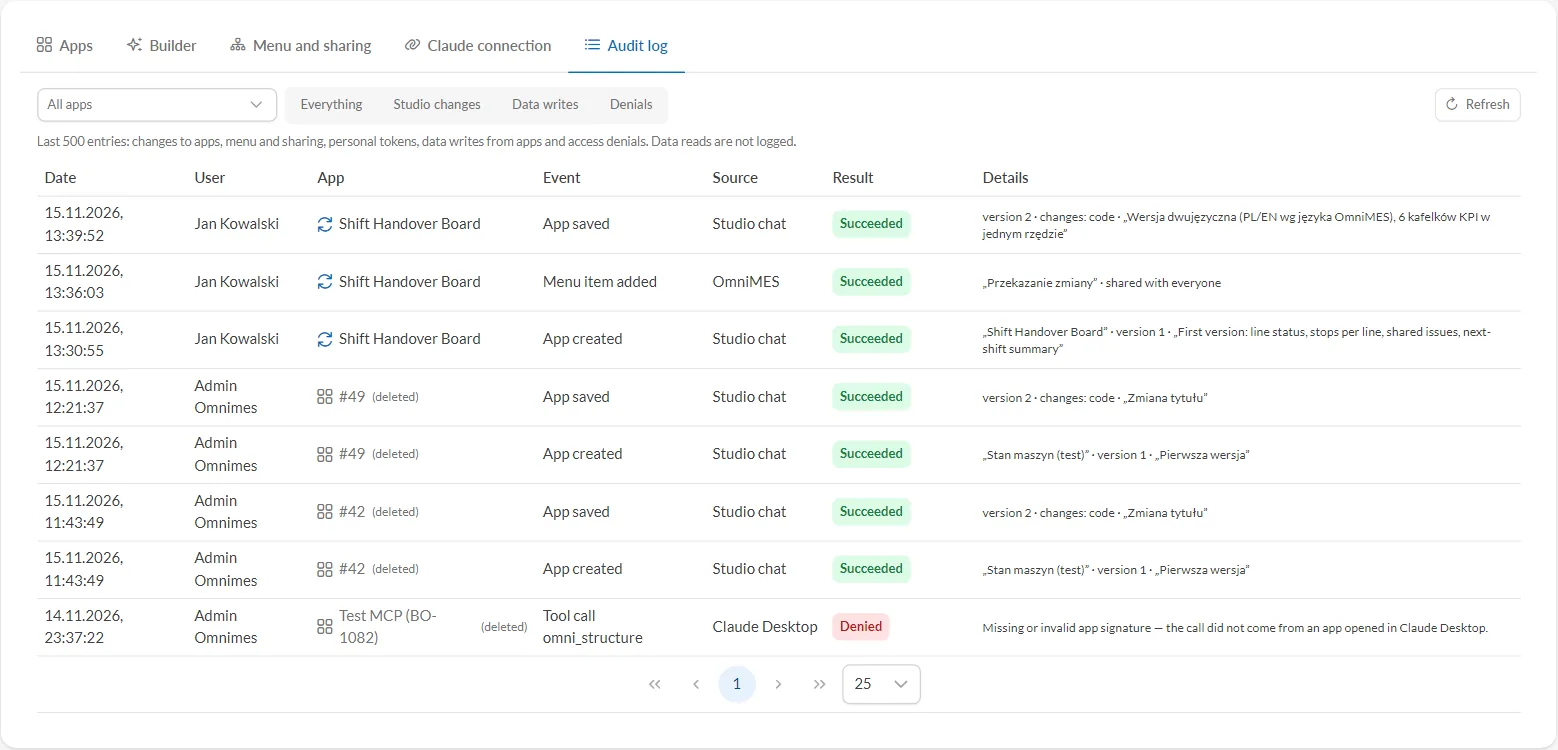
Audit log: who changed what and when, where the request came from, and whether the system carried it out or denied it.
Examples: apps that count money
Downtime costs. How much money a line loses to downtime, which machines and causes cost the most (a Pareto chart), a forecast of losses for the whole month and a corrective action plan with estimated savings. At the morning meeting, instead of “we had four hours of stoppages”, you hear an amount and the name of the machine that costs the most.
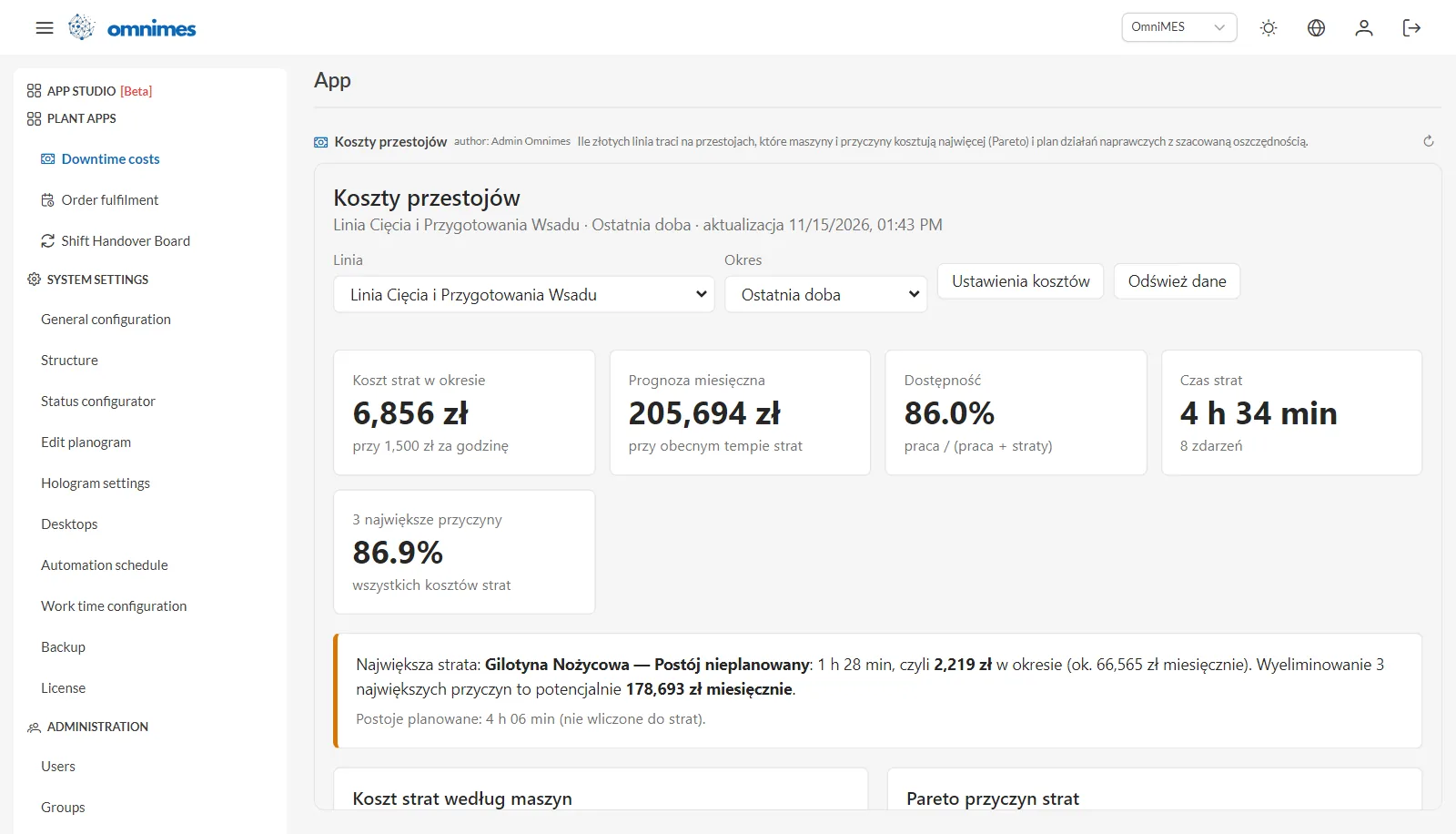
Downtime costs in the OmniMES menu, under Plant apps, with App Studio [Beta] just above. This app was built in Polish.
Order fulfilment. Which orders will miss their deadline, what output rate it would take compared with the current one, what scrap costs and what the unmade pieces are worth. For each order, the team keeps shared comments with actions, e.g. “extra shift on Saturday”.
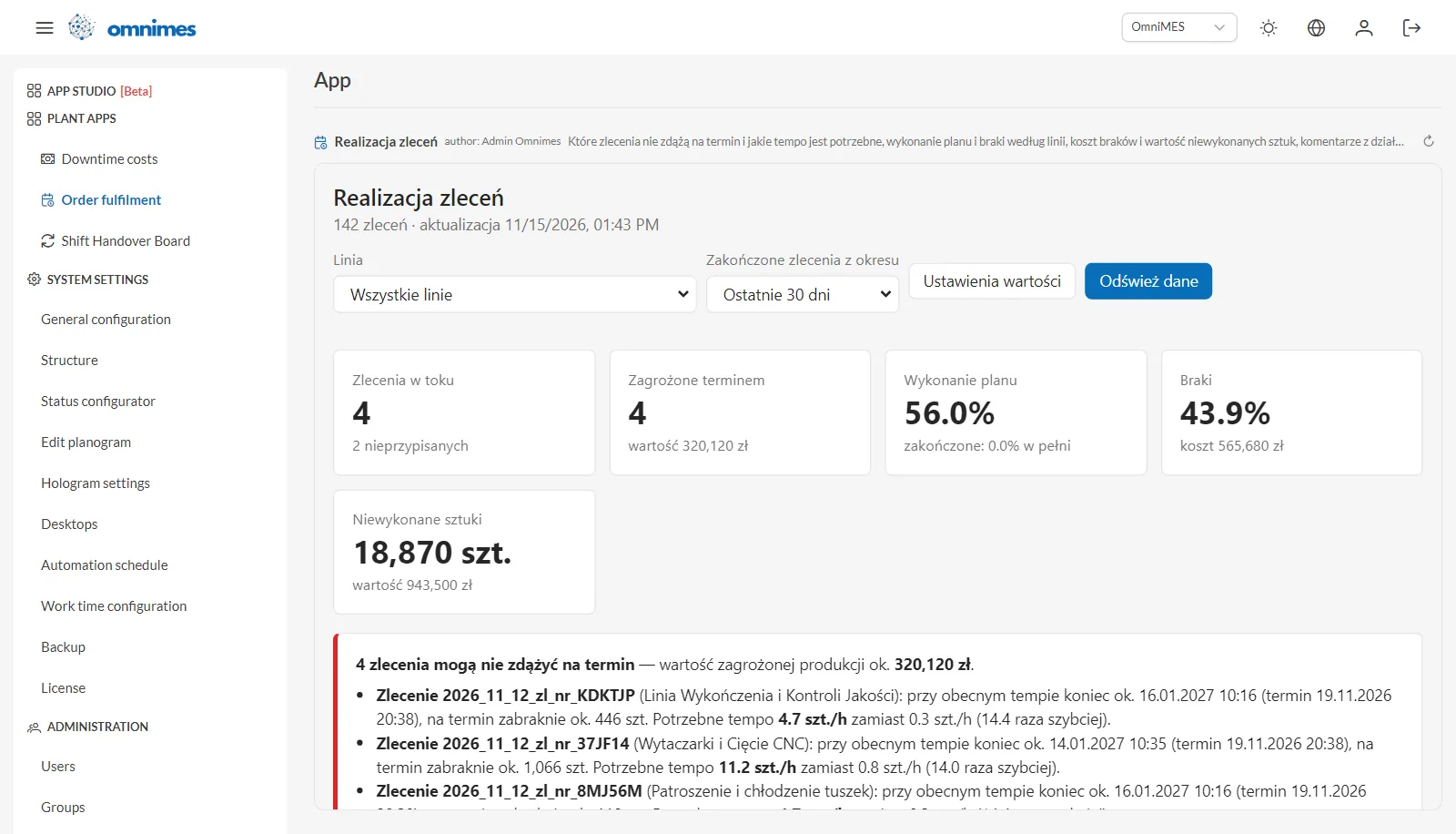
Order fulfilment: orders at risk of missing the deadline and the rate that would get them done on time.
Shift Handover Board. A board for the shift taking over the floor: the live status of every line, stops and downtime per line for today or the current shift, a shared list of open issues and an automatic summary for the next shift. It was built in the Builder chat and speaks English or Polish — whichever language the user has chosen in OmniMES.
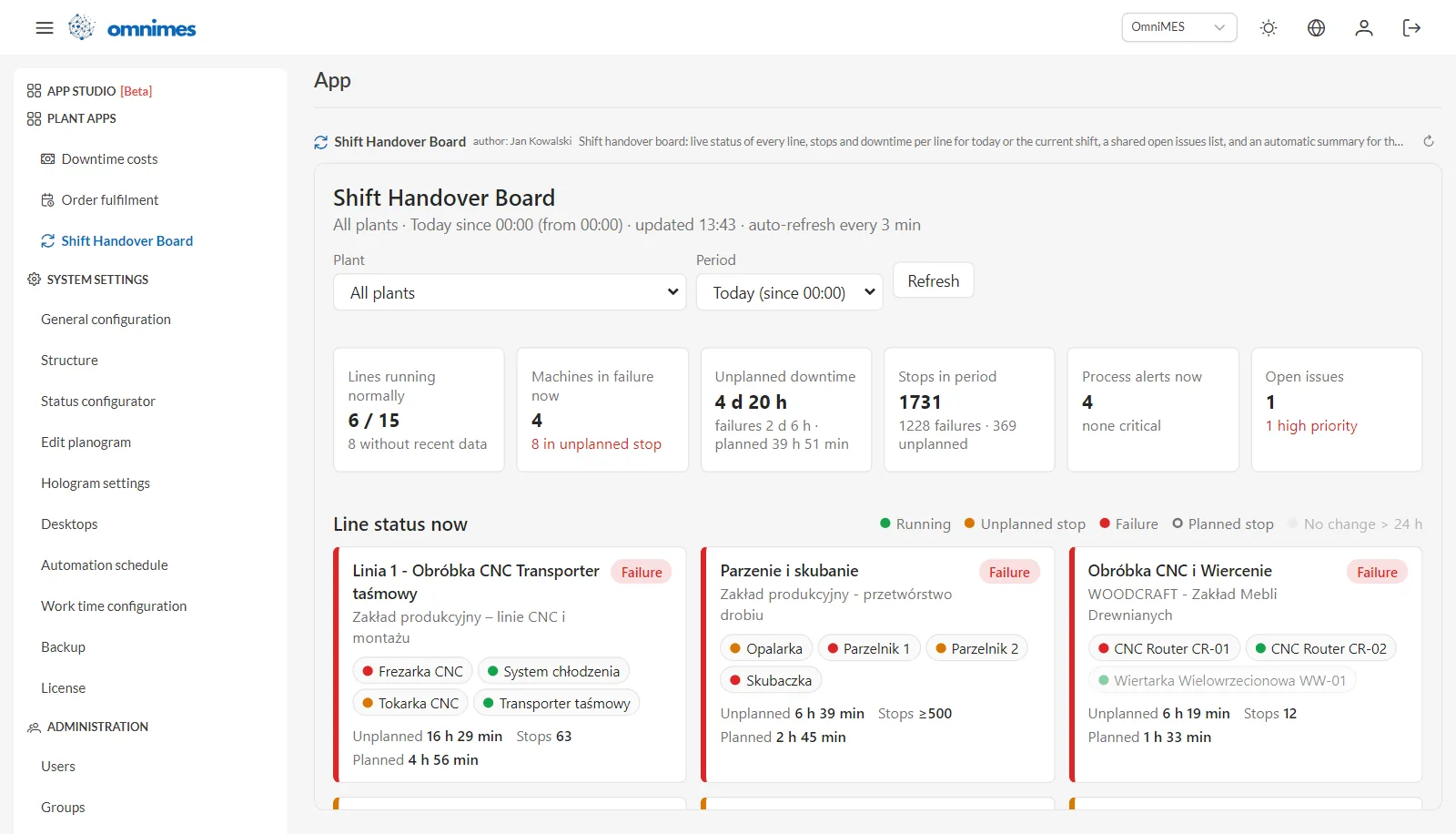
Shift Handover Board: what the next shift needs to know, on one screen.
Beta
App Studio is marked [Beta] in the menu. We keep testing and refining it over the coming week, so we'd love to hear your feedback and ideas for apps — get in touch.
How to get started
After updating to version 4.9.0, App Studio [Beta] appears in the OmniMES menu. Start with the Claude connection tab: a superuser enters the Claude API key there to enable the chat in the Builder, and anyone who prefers Claude Desktop downloads the OmniMES extension with a personal token. Then describe your first app in the Builder — start with one sentence about what you want to see.
The full list of changes in version 4.9.0 is in the changelog, and you can read how OmniMES works with AI assistants in the MCP in OmniMES news.
Disclaimer: The plants, lines, machines, orders and amounts shown in the screenshots are OmniMES demo data.